
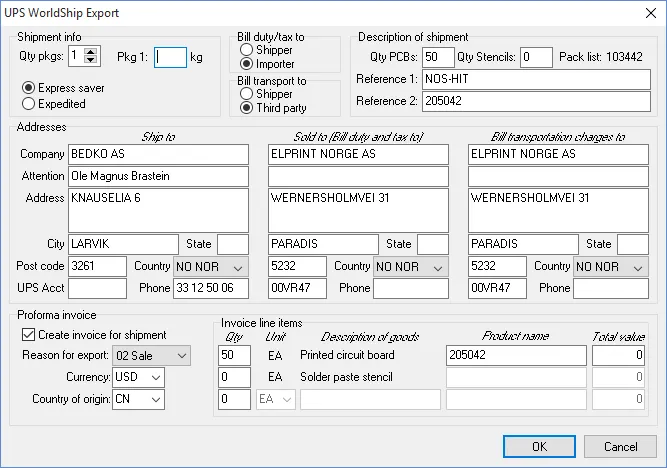
Shipment data may be exported directly to UPS WorldShip from the Shipment Details module.
Most of the information is automatically filled out, but it should be checked before export.
The following information must be specified by the user:
- Shipment info: Qty pkgs
- Shipment info: Weight of each package
- Proforma invoice: Total value(s)
Clicking the OK button creates an XML file to be imported into UPS WorldShip. The file will be saved to the WorldShip Auto-Import folder, which may be specified with the Specify UPS export path menu command in the Shipment Details module.
Once the file has been successfully imported into UPS WorldShip, the UPS tracking number may be imported into the Shipment Details module with the Import UPS tracking number menu command.