
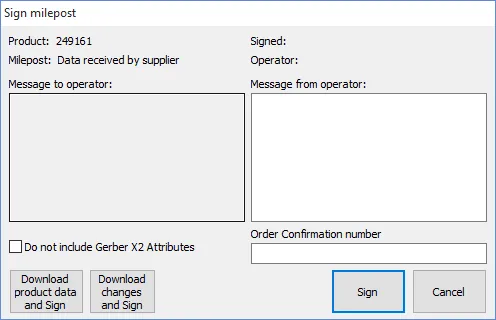
This milepost should be signed when the supplier receives the purchase order.
The Download product data button is used to save the zip file containing the product data to the user's PC. This may may be done at any time after the Send milepost has been signed, also after this milepost has been signed.
If the product is a repeat order, then the Download changes button may be used to download only those Gerber files which have changed since the previous order.
Gerber files are generated in accordance with the latest Extended Gerber specification (revision 2022.02, also called Gerber X2/X3). This revision adds certain Attribute parameters which may not be compatible with older CAM software. If Do not include Gerber X2 Attributes is checked then these parameters will be included as comments in the downloaded files (rather than as Attributes).
Clicking on the Sign button gives an opportunity to enter an order confirmation number and then to upload the order confirmation in PDF format (if this has not already been done). Once uploaded, the order confirmation may be displayed from the Work Orders view. If automatic acceptance of POs is activated (with the Configure|Accept POs without order confirmation menu command) then the PO will be marked as accepted.